

DSH Cloudflare Browser Run
☆ 0dsh browser-run: CF Browser Run web tools (markdown/screenshot/pdf) for DeepSeek Harness
Get this plugin
Review the source, then continue to the publisher.
dsh plugin add dsh-cloudflare-browser-runAbout this plugin
Source snapshot 8/13/2026
dsh-cloudflare-browser-run
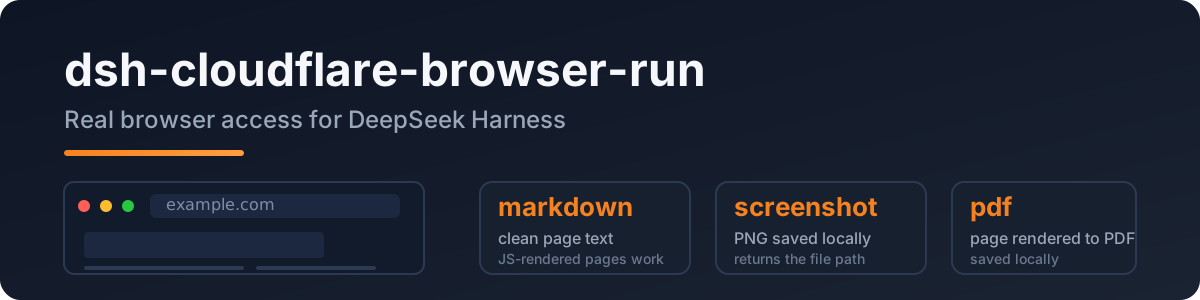
A DeepSeek Harness plugin that gives the agent real browser access: headless Chrome on Cloudflare's network, so JS-rendered pages, screenshots, and PDFs all just work.
Port of pi-cloudflare-browser-run, built to the dsh (Cordis) plugin spec.
English · 中文
Why
The built-in web_fetch is a plain HTTP fetch — JS pages come back empty and SSRF protection is deferred upstream. This plugin adds a real browser:
- clean markdown from any public page (SPA/JS included)
- screenshots (PNG) and PDFs
- login-capable sessions and WebMCP sites
Quick start
dsh plugin add dsh-cloudflare-browser-run
Configure credentials in your profile/settings layer:
- id: browser-run
  name: dsh-cloudflare-browser-run
  config:
    cf_api_token_ref: CF_API_TOKEN   # env var name — recommended
    cf_account_id: <your account id>
Token: Cloudflare dashboard → API Tokens → Browser Rendering: Edit template.
Account id: dash.cloudflare.com/<ACCOUNT_ID>/....
Tools
| tool | what it does |
|---|---|
browse | fetch a public URL → clean markdown (default); action = screenshot | pdf |
screenshot | save the page as PNG locally, returns the file path |
pdf | save the page as PDF locally, returns the file path |
Config
| key | required | meaning |
|---|---|---|
cf_api_token_ref | * | env-var name of the API token (resolved via ctx.credentials) |
cf_api_token | * | direct token value (fallback) |
cf_account_id | ✅ | your Cloudflare account id |
cf_api_base | – | API base override |
output_dir | – | where screenshots/PDFs land (default OS temp) |
* one of the two token keys.
Privacy
- Public web only: every URL passes an SSRF guard (localhost / private IPs / IPv6 literals / userinfo rejected) before the API is called.
- The token is resolved per operation via
ctx.credentials— never logged, never stored by the plugin. - Browser Run identifies itself as a well-behaved bot, the compliant way to fetch.
Development
npm install
npm run typecheck
npm test          # SSRF guard / config / API shape
npm run build
Live API test (not part of npm test):
DSH_TEST_CF_TOKEN=<token> DSH_TEST_CF_ACCOUNT=<account> node --import tsx tests/real/real-cf.mjs
License
MIT
Related DeepSeek Harness Plugins
Browse Browser →
本地私有、开源的跨平台 AI 内容发现 Agent:先理解你,再主动从 B站、小红书、抖音、YouTube、X、知乎、Reddit、微博等平台与开放 Web 寻找内容。 | Local-first open-source cross-platform AI content discovery agent: understands you, then proactively finds content across Bilibili, Xiaohongshu, Douyin, YouTube, X, Zhihu, Reddit, Weibo and the open web.

Plugin and skin collection for DeepSeek Harness (DSH) Web UI - task board, git graph, right-side panel, remote mobile UI, pet, live token stats, and skin center.

让纯文本模型更好地做视觉任务的DeepSeek Harness插件:带意图的图片问答、长截图 OCR、UI 还原等|DeepSeek Harness-native integration for agent-vision-toolkit: image Q&A, long-screenshot OCR, UI restoration, grounding, pixel diff, Artifacts, and Web UI.

是兄弟就来蹬我!DSH Web UI 广告:2005 年中文站点风格的侧栏广告 / 对话内信息流 / 角落弹窗 + 一个真实热区比视觉小得多的关闭叉。素材全虚构,域名打码。