

DSH Vision Toolkit
☆ 111让纯文本模型更好地做视觉任务的DeepSeek Harness插件:带意图的图片问答、长截图 OCR、UI 还原等|DeepSeek Harness-native integration for agent-vision-toolkit: image Q&A, long-screenshot OCR, UI restoration, grounding, pixel diff, Artifacts, and Web UI.
Get this plugin
Review the source, then continue to the publisher.
dsh plugin add @dsh-external/dsh-vision-toolkit@latest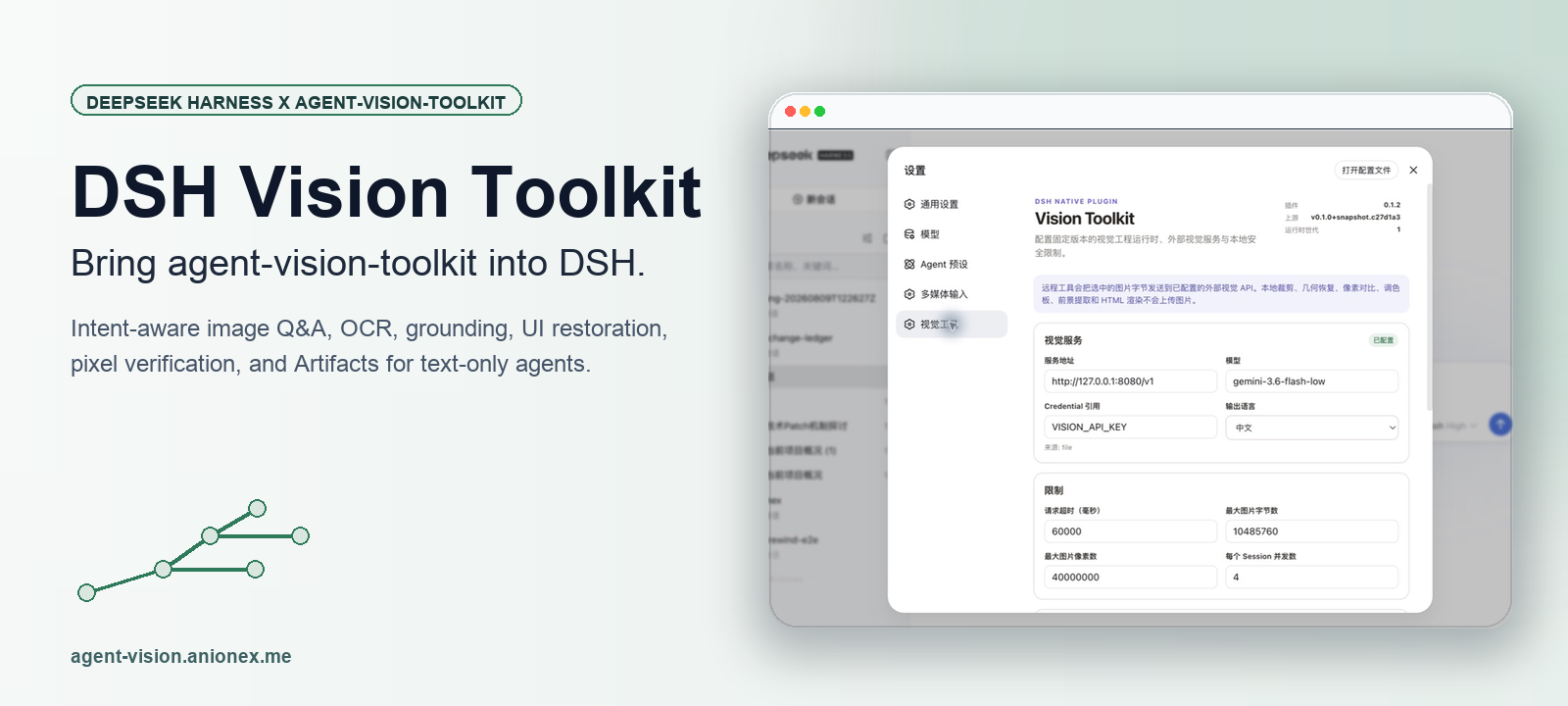
About this plugin
Source snapshot 8/13/2026
DSH Vision Toolkit






DSH Vision Toolkit brings agent-vision-toolkit into DeepSeek Harness as a native Profile Bundle.
Give text-only DSH agents eyes—and keep vision in the harness—with intent-aware image Q&A, OCR, original-pixel grounding, UI restoration, pixel verification, managed Artifacts, and Web Settings. Ten independent tools replace shell glue with structured schemas and Agent-scoped progressive exposure.
Upstream toolkit: Anionex/agent-vision-toolkit · Project website: agent-vision.anionex.me
English | 中文
Why this exists
agent-vision-toolkit treats vision as an Agent-callable capability rather than a property of the base model. Its method carries the reason for looking into the visual request, moves from the whole image to targeted regions, and verifies coordinates, colors, geometry, and differences with focused tools instead of accepting a generic description as evidence.
DSH Vision Toolkit preserves that method while replacing CLI installation and Bash argument construction with native schemas, DSH Credentials, lifecycle-managed runtime preparation, structured Session-log results, previewable Artifacts, dedicated Web cards, and Settings. The Agent loads one versioned Skill and receives the ten visual schemas only when the current task needs them.
The package delivers the committed P0 and P1 product scope. P2's stable ctx.visionToolkit service remains deliberately unpublished until an independent plugin becomes a real consumer; the internal runtime does not pretend that an unvalidated ecosystem API is stable.
Proven use cases from agent-vision-toolkit
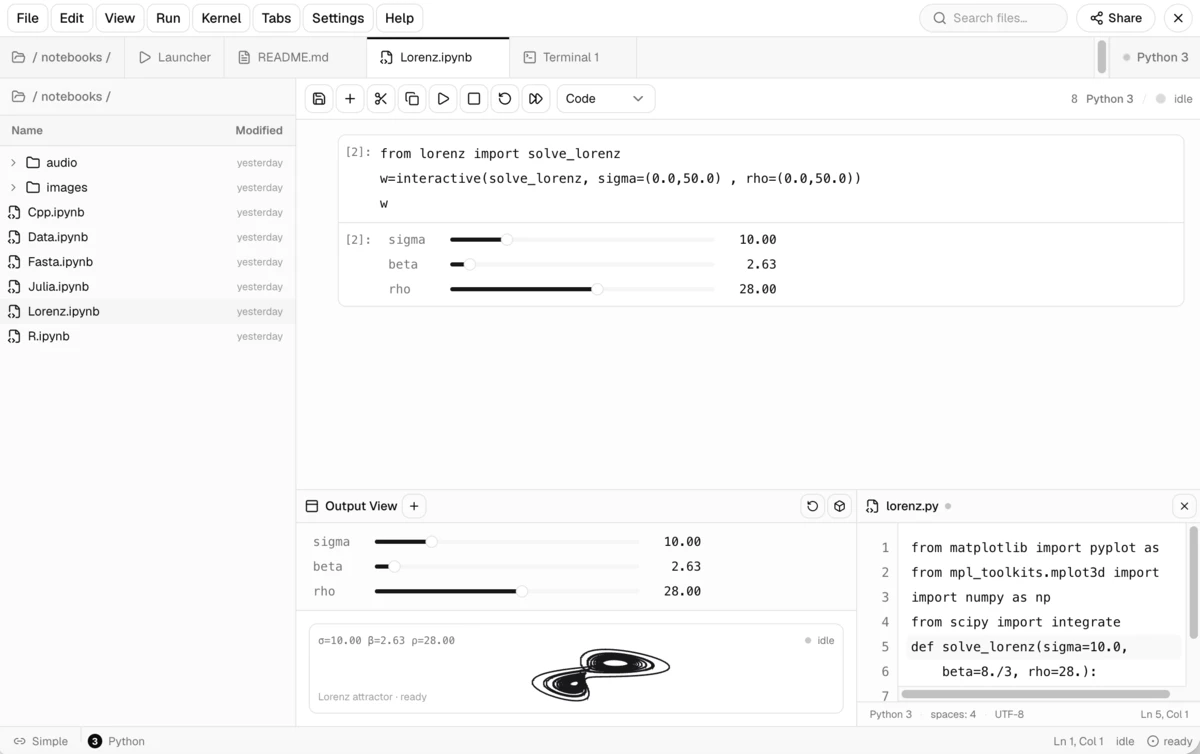
The first two panels are official upstream reference runs from the same pinned agent-vision-toolkit lineage packaged by this bundle. The image Q&A and screenshot-guided debugging panel is a live DeepSeek Harness Web session, showing the same workflows through DSH. See the asset provenance record for the upstream source images.
Infographic restoration: screenshot to editable HTML/CSS
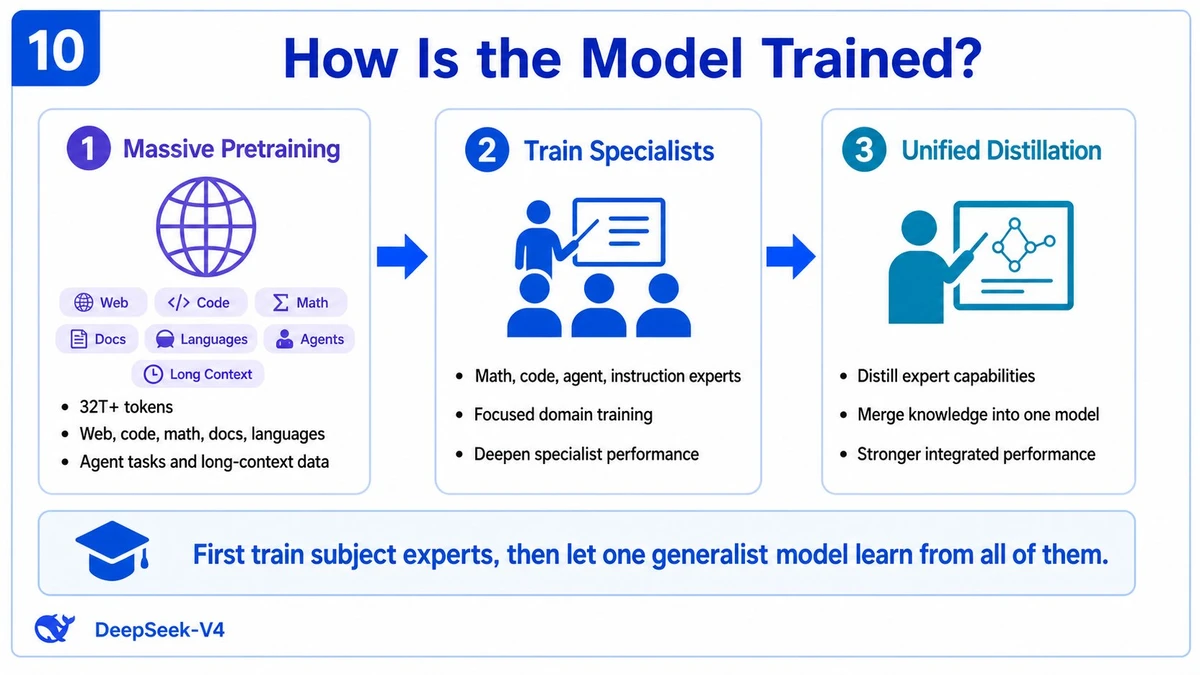
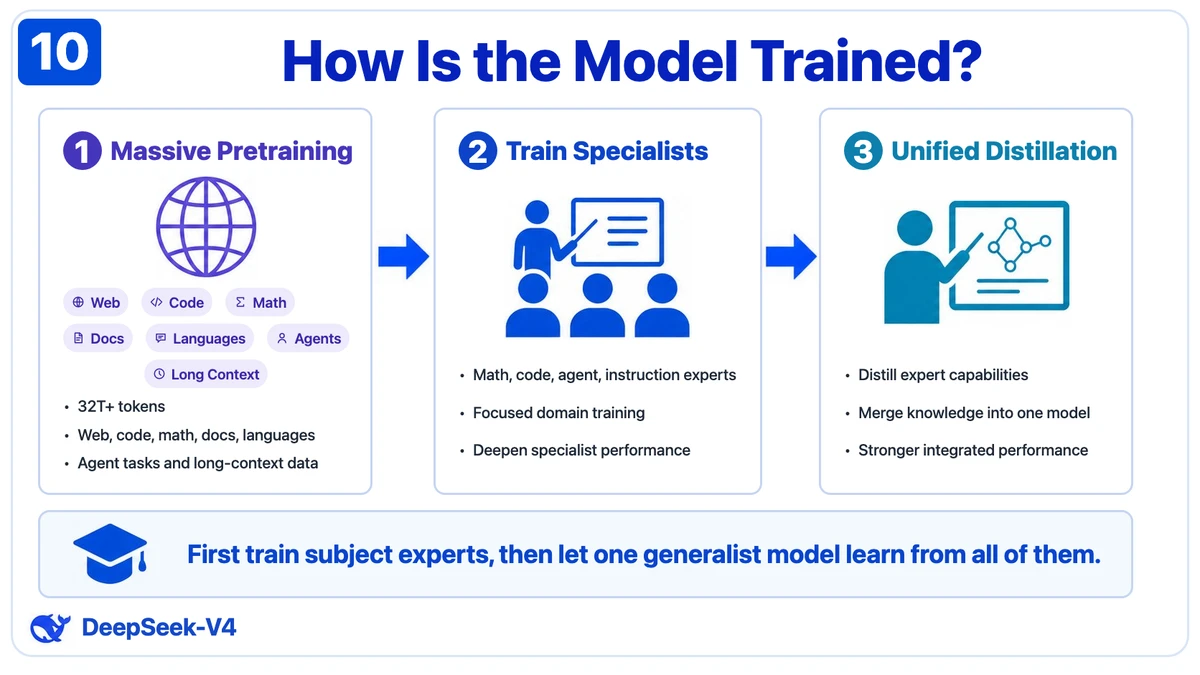
Left: source screenshot. Right: the editable HTML/CSS result from the upstream infographic-restoration reference.
UI restoration: sketch to working interface
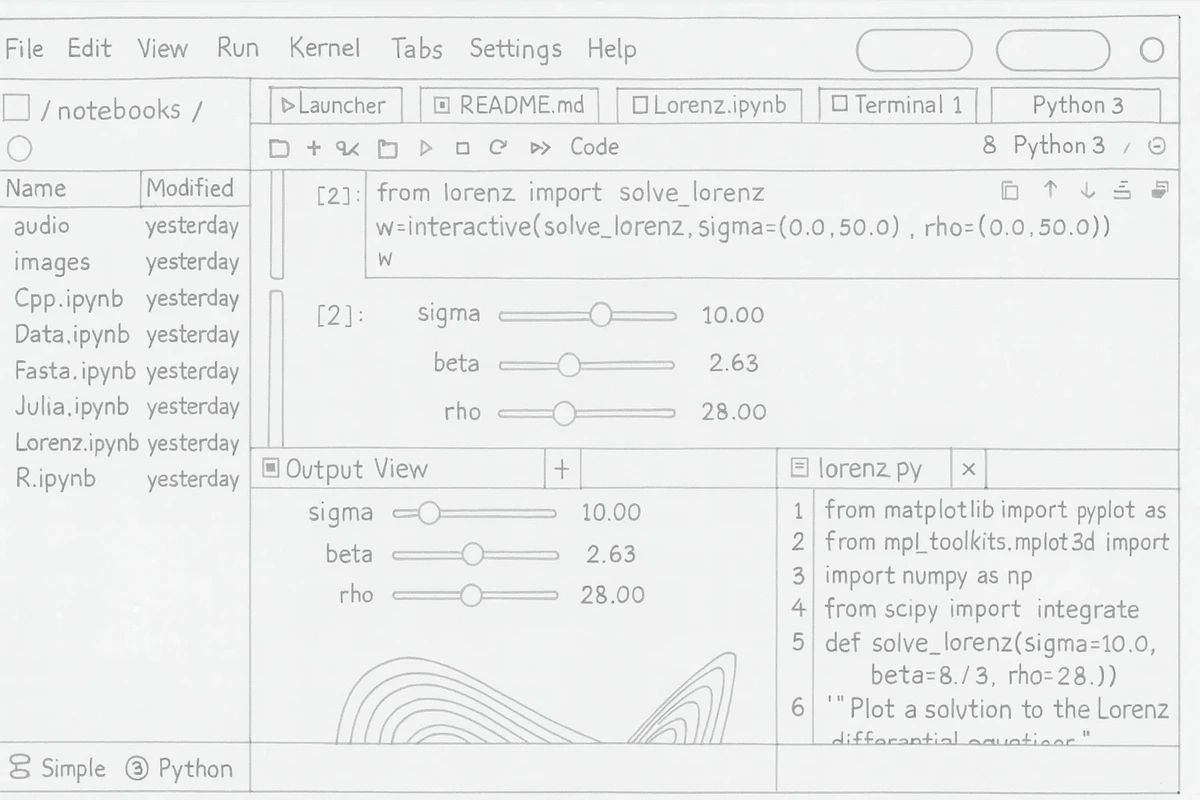
Left: hand-drawn input. Right: the upstream reconstructed interface; the complete method lives in the UI restoration playbook.
Image Q&A and screenshot-guided debugging
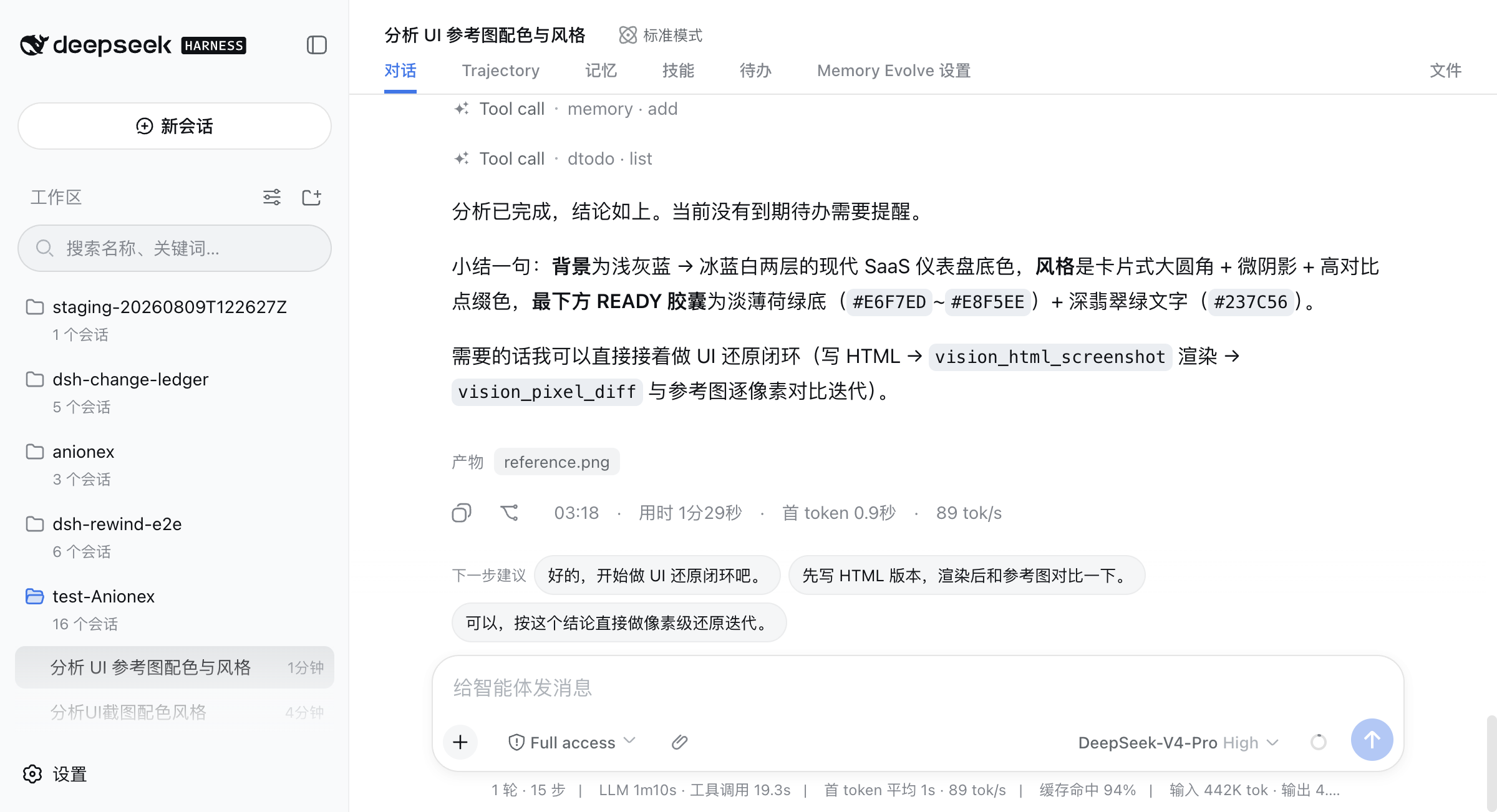
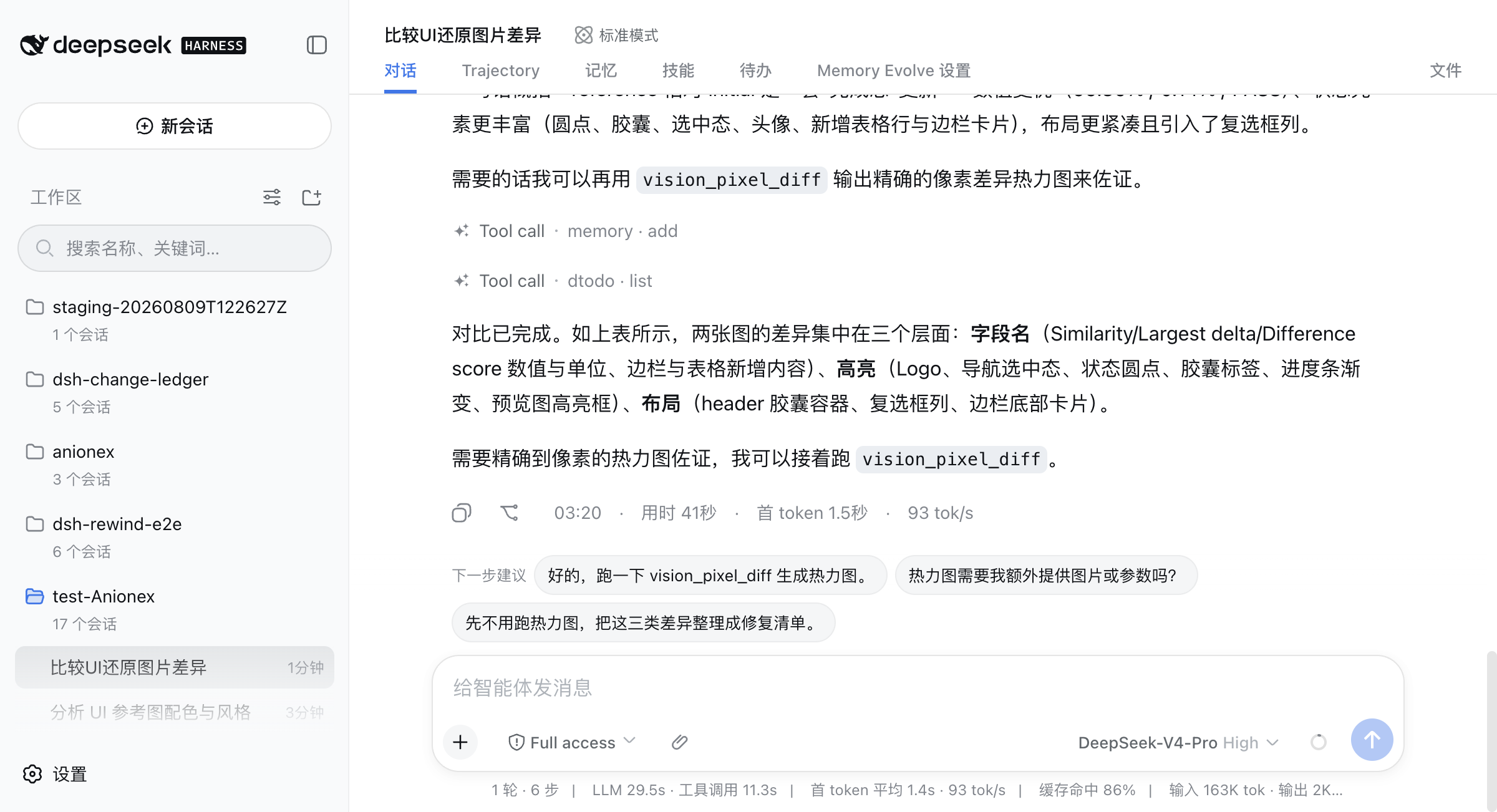
Left: intent-aware image Q&A in DSH Web. Right: a DSH Web screenshot-debugging turn that lists the concrete UI differences and continues toward vision_pixel_diff. The upstream workflow source is the same agent-vision-toolkit reference.
DSH Vision Toolkit adds native tool schemas, versioned lifecycle, Credentials, structured Session results, Artifacts, Web presentation, Settings, and progressive exposure around these upstream capabilities. The next section is the reproducible proof executed and checked into this DSH repository.
DSH-native proof: reference-to-pixel verification
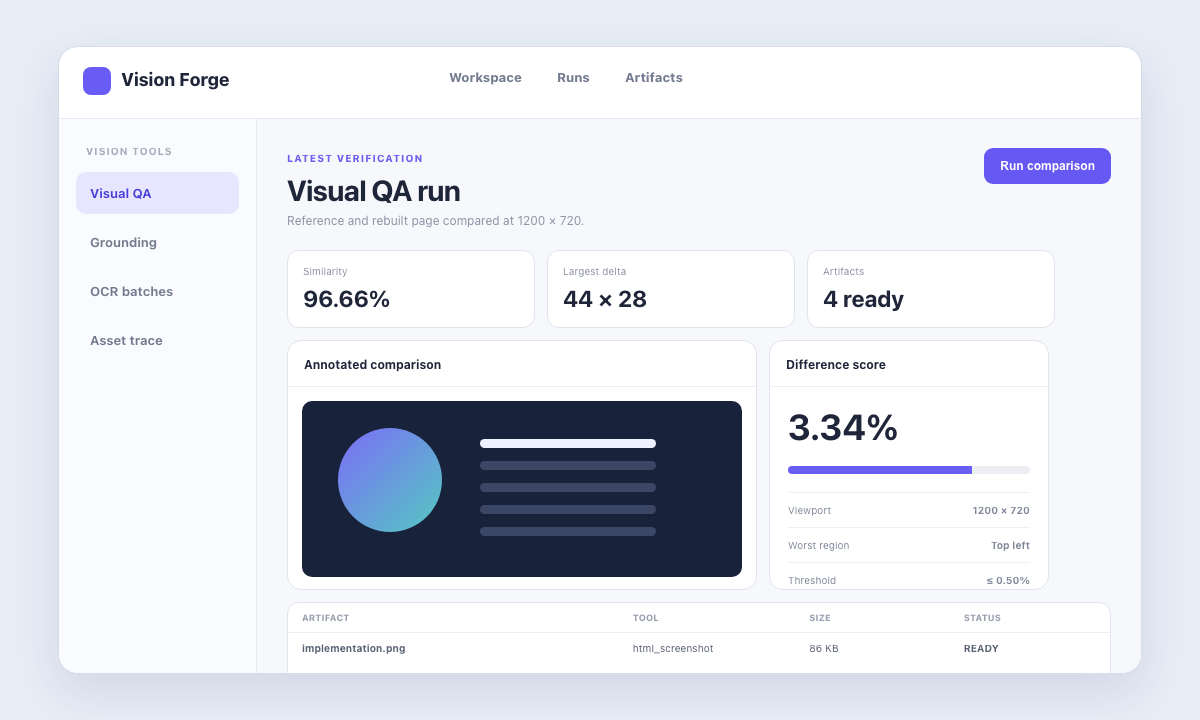
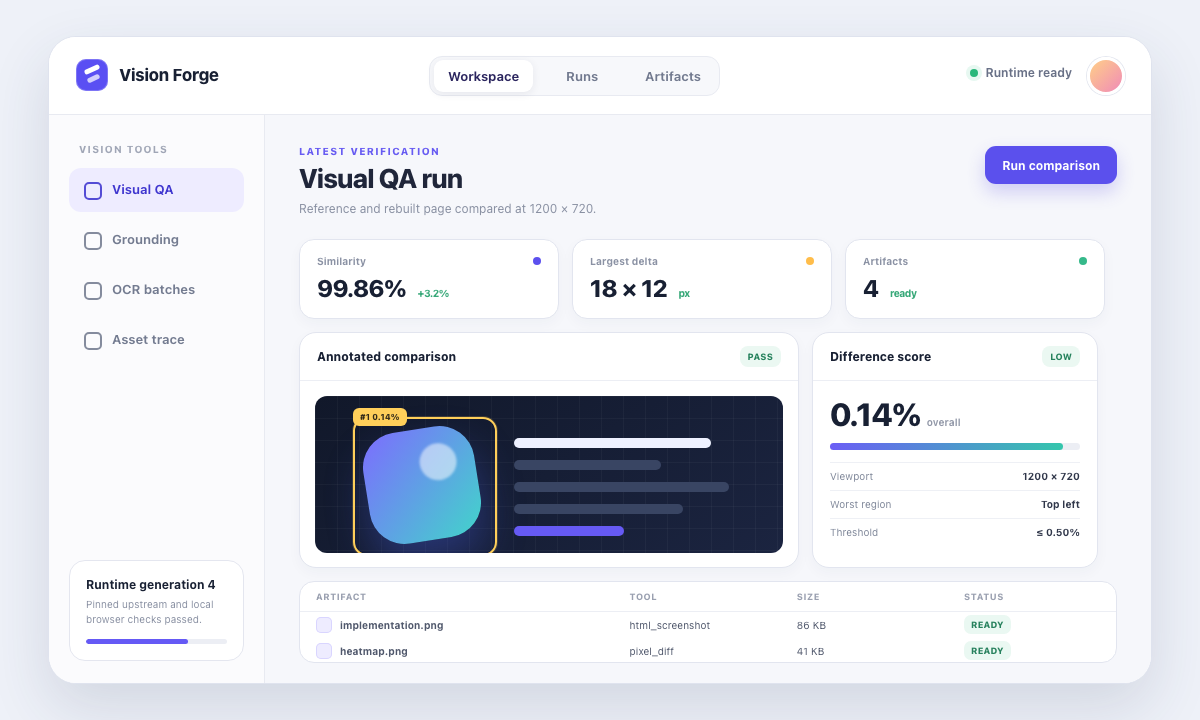
The checked-in UI-restoration workflow renders an intentionally inaccurate HTML implementation, measures a 6.04% pixel difference across six non-zero regions, iterates, and reaches an exact 0% difference against the reference at 1200 × 720.
| Verified surface | Evidence |
|---|---|
| Product scope | 10 independent visual tools, matching vision-tools Skill, Artifacts, dedicated Web cards, and live Settings |
| Automated coverage | 17 Vitest files / 134 passing tests, plus a dependency-free portable package check |
| Real profiles | Clean temporary Web and Headless installation, activation, disable, re-enable, and uninstall |
| Visual acceptance | Reproducible HTML screenshot → pixel diff example with a final 0% difference |
Highlights
- See images without bloating every prompt: only
vision_toolkit_activateis initially visible; loadingvision-toolsmounts ten independent schemas for that Agent and keeps version/health administration out of model context. - Act on coordinates instead of parsing prose: grounding and detection return original-image pixel boxes, while every model-visible result remains structured text or JSON.
- Deliver files, not temporary output: crop, trace, OCR, pixel diff, foreground extraction, and HTML rendering produce described Artifacts that the Web client can preview, download, or open locally.
- Keep runtime and credentials controlled: DSH Credentials hold API keys, managed mode prepares an exact isolated Python environment, and a failed Settings candidate cannot replace the serving generation.
- Close the visual verification loop: local HTML rendering and pixel-diff ranking support reference → implementation → screenshot → measured iteration without a model-native image channel.
- Use the same bundle in Web and Headless profiles: Web adds cards, previews, Settings, and health actions; Headless receives the same tool semantics and complete structured results.
Quick start
Prerequisites: access to this private repository, DeepSeek Harness, Python 3.11+, and pnpm available to dsh plugin. Clone the release checkout with your authenticated GitHub credentials, add it to the profiles you use, and confirm the bundle row:
git clone https://github.com/dsh-external/dsh-vision-toolkit.git
PLUGIN="$PWD/dsh-vision-toolkit"
dsh plugin --profile web add "$PLUGIN"
dsh plugin --profile headless add "$PLUGIN"
dsh --profile web --dump-config | grep vision-toolkit
dsh --profile headless --dump-config | grep vision-toolkit
Restart a running Web profile, open Settings → Vision Toolkit, select a DSH Credential for remote tools, and explicitly run Test connection. In a conversation, make an image available as a workspace path, invoke /vision-tools, and ask the Agent to call a specific vision_* tool. Local crop, trace, pixel, color, foreground, and HTML operations do not require a visual API credential.
How it works
flowchart LR
    User["Workspace image or local HTML"] --> Skill["vision-tools Skill"]
    Skill --> Activate["Agent-scoped activation"]
    Activate --> Tools["10 independent vision_* tools"]
    Tools --> Runtime["Shared VisionToolkitRuntime"]
    Credentials["DSH Credentials"] --> Runtime
    Settings["Web Settings and health"] --> Runtime
    Runtime --> Upstream["Pinned agent-vision-toolkit"]
    Runtime --> Remote["Configured vision API"]
    Upstream --> Result["Text, coordinates, JSON"]
    Remote --> Result
    Runtime --> Artifacts["Workspace Artifacts"]
    Result --> Session["Reconstructable Session log"]
    Artifacts --> Web["Preview, download, or open file"]
Tool definitions call one runtime; the runtime validates paths, limits, credentials, cancellation, and deadlines before dispatching to the pinned upstream snapshot or configured OpenAI-compatible vision endpoint. Web presentation consumes the same structured results and Artifact descriptors, so it does not change Headless behavior. Health, connection testing, and version inspection stay in Settings rather than model tool schemas.
Tools
| Tool | Execution | Structured result | Artifact delivery |
|---|---|---|---|
vision_glance | Remote vision API | Description, targeted answer, OCR, or multi-image comparison | None |
vision_ground | Remote vision API; optional local preview | Target, original-image dimensions, and pixel boxes | Optional labeled PNG |
vision_detect | Remote vision API; optional local preview | Numbered element inventory and original-image pixel boxes | Optional numbered PNG |
vision_trace | Local pinned vtracer pipeline | SVG geometry status, path count, scale, and size | SVG |
vision_crop | Local Pillow pipeline | Applied pixel box, dimensions, format, and clamp status | PNG or JPEG |
vision_pixel_diff | Local NumPy/Pillow pipeline | Difference percentage and ranked grid regions | PNG heatmap and JSON report |
vision_long_screenshot_ocr | Local split/audit; remote OCR unless splitOnly=true | Chunk boundaries, reuse state, completion state, and run directory | Markdown, manifest, boundary audit, chunk PNGs, and OCR sidecars |
vision_extract_foreground | Local pinned extraction pipeline | Selected box, component counts, foreground coverage, and dimensions | Transparent PNG |
vision_dominant_colors | Local pinned color analysis | Extracted palette or pixel-backed candidate ranking | None |
vision_html_screenshot | Local Chrome/Chromium/Edge adapter | Authorized source facts, viewport, and rendered dimensions | PNG |
The plugin does not reimplement visual algorithms. Its DSH-owned layer validates paths and limits, resolves credentials, calls the pinned upstream scripts with argv vectors, parses their exact output contracts, classifies failures, describes files, and projects results to the model and Web client.
Progressive model exposure
Runtime readiness is profile-wide, but the ten visual execution schemas are Agent-scoped. Before an Agent loads vision-tools, the plugin contributes only the small vision_toolkit_activate bootstrap; the visual tools are absent from that Agent's request schema. A successful call to the standard skill tool with name="vision-tools" mounts all ten tools automatically for the next model step and hides the bootstrap. A direct /vision-tools invocation injects the Skill instructions; if the visual tools are still absent, those instructions require one vision_toolkit_activate call. Activation affects only that Agent, restores when the Session contains durable evidence matching the bundled Skill version, and lasts until the Agent or plugin is disposed.
Health checks, connection testing, and plugin/upstream version inspection are administrative Web Settings operations. vision_toolkit_health and vision_toolkit_version are not model tools and never enter an Agent's schema, including after visual-tool activation.
Requirements
- DeepSeek Harness with a Web or Headless profile and
pnpmavailable todsh plugin. - Python 3.11 or newer. Managed mode creates an isolated environment, so users do not install the upstream CLI or Python packages manually.
- Network access on the first managed-runtime activation unless the exact packages in
runtime/requirements.lockare already available in the configured package cache. - An OpenAI-compatible vision endpoint and DSH Credential for
vision_glance,vision_ground,vision_detect, and non-split-only long-screenshot OCR. Local tools remain usable without that credential. - Chrome, Chromium, or Edge only for
vision_html_screenshot; all other tools remain available when no supported browser is installed. - PNG, JPEG, GIF, or WebP inputs inside the session workspace or an explicitly configured
allowedDirsroot.
Install and lifecycle
Install
Install the bundle into each profile that should expose it:
dsh plugin --profile web add /path/to/dsh-vision-toolkit
dsh plugin --profile headless add /path/to/dsh-vision-toolkit
dsh --profile web --dump-config | grep vision-toolkit
dsh --profile headless --dump-config | grep vision-toolkit
Restart a long-lived Web profile after installation. The host discovers the built browser bundle from package.json's dsh.client declaration at process startup; the legacy top-level dshClient field is not scanned.
The first managed start verifies the packaged upstream manifest and atomically prepares an isolated environment under DSH_HOME/cache/dsh-vision-toolkit. Only after preparation succeeds does the plugin publish the same-version vision-tools Skill and activation bootstrap; each Agent receives the execution tools only after loading that Skill. An initial preparation failure leaves the Web Settings repair surface available but exposes neither model capability nor a misleading Skill.
Disable and re-enable
Set the bundle row to disabled: true in a profile patch or overlay:
- id: vision-toolkit
  disabled: true
Remove the flag or set it to false to re-enable the plugin. Disposal first cancels plugin-owned visual operations, then removes every Agent-scoped tool, the bootstrap, and the Skill; reactivation prepares the configured runtime before any model capability becomes visible. User configuration and completed Artifacts remain intact.
Upgrade
For a registry installation, update the dependency through the profile package manager:
dsh plugin --profile web update @dsh-external/dsh-vision-toolkit
dsh plugin --profile headless update @dsh-external/dsh-vision-toolkit
For a local path installation, run add again against the replacement checkout or tarball. Settings remain in the profile's Settings provider. A candidate runtime is fully validated and prepared before it is persisted and made active; a failed or obsolete concurrent candidate cannot replace the current serving generation.
Uninstall
dsh plugin --profile web remove @dsh-external/dsh-vision-toolkit
dsh plugin --profile headless remove @dsh-external/dsh-vision-toolkit
dsh plugin remove removes both the dependency and its bundle layer. The profile no longer exposes the activation bootstrap, Agent-scoped Vision Toolkit tools, or Skill entries. Managed cache data may be deleted separately when no profile uses the package; it is not active configuration and cannot register anything by itself.
Configure
The bundle defaults to the managed runtime. A profile patch can override the provider and limits:
- id: vision-toolkit
  config:
    provider:
      baseUrl: https://api.inferera.com/v1
      credential: VISION_API_KEY
      model: gemini-3.6-flash
    language: zh
    timeoutMs: 60000
    maxImageBytes: 10485760
    maxImagePixels: 40000000
    concurrency: 4
    runtime:
      mode: managed
    allowedDirs: []
Configuration fields
| Field | Default | Contract |
|---|---|---|
provider.baseUrl | https://api.inferera.com/v1 | OpenAI-compatible base URL; normalized without trailing slashes |
provider.credential | VISION_API_KEY | DSH Credential reference, never a secret value |
provider.model | gemini-3.6-flash | Multimodal model name sent to remote tools |
language | zh | Vision output language: zh or en |
timeoutMs | 60000 | Whole-operation deadline, 1000-600000 ms; each tool may request a narrower override |
maxImageBytes | 10485760 | Encoded-byte limit per input image |
maxImagePixels | 40000000 | Decoded-pixel limit per input image |
concurrency | 4 | In-flight operations per session, 1-16 |
runtime.mode | managed | managed uses the packaged snapshot; external accepts only the exact pin |
runtime.agentVisionToolkitPath | unset | Required in external mode; exported exact snapshot or clean pinned Git checkout |
runtime.python | unset | Optional Python 3.11+ bootstrap/interpreter override |
allowedDirs | [] | Additional realpath-resolved input roots; the session workspace is always allowed |
Credentials
Create or replace the referenced secret through DSH Credentials:
dsh credentials set VISION_API_KEY
The reference is stored in Settings; the value is not. Remote operations resolve it once per call and inject it only into that subprocess environment. The plugin excludes user .env files, checkout .env files, PYTHONPATH, PYTHONHOME, VIRTUAL_ENV, and user site-packages so ambient Python or upstream configuration cannot override the selected DSH provider. Logs, errors, tool results, Artifact metadata, and Settings responses never contain the secret.
Managed and external runtimes
Managed mode verifies vendor/agent-vision-toolkit/UPSTREAM_MANIFEST.json, prefers uv, falls back to venv plus pip, installs exact versions from runtime/requirements.lock, coordinates concurrent preparation with a heartbeat lock, and publishes a staged environment only after all probes pass.
External mode is intended for development or controlled deployments:
- id: vision-toolkit
  config:
    runtime:
      mode: external
      agentVisionToolkitPath: /opt/agent-vision-toolkit
      python: python3.12
The path must be an exported copy matching the packaged manifest or the root of a clean Git checkout at c27d1a300962b553c0884993c575cd3e819465ce. Modified tracked files and untracked files are rejected because they can change or shadow the pinned Python behavior.
Web Settings
The Web profile registers a Vision Toolkit Settings section for the provider URL, Credential reference, model, language, timeout, byte/pixel limits, concurrency, runtime mode, Python override, external source path, and allowed directories. It also shows plugin/upstream versions, the active runtime generation, non-secret Credential configured/source/writable facts, runtime paths, health results, and Artifact-route availability.
Save and apply validates the complete value, prepares the candidate Python/upstream runtime, commits the Settings revision, and only then atomically switches generations. A rejected candidate leaves the previous generation serving and is reported separately from a genuinely unavailable runtime. Reload always restores the authoritative saved value, even when its revision did not change, so a rejected browser draft is discarded. If initial startup cannot prepare a runtime, the Settings route remains available so a valid configuration can make the first generation operational. A stale browser revision receives a conflict instead of overwriting a newer save; reload before retrying. A read-only Settings provider allows inspection and health checks but disables saves.
Run health check performs local checks only. Test connection is an explicit action that sends the configured Credential to GET /models; it uploads no image and creates no completion. Plugin load and ordinary Settings reads never make that request.
Health, connection testing, and plugin/upstream version inspection are administrative Web Settings capabilities rather than model-facing tools, so their schemas never occupy an agent request.
Artifacts and presentation
Artifact-producing tools write only under <workspace>/.dsh-vision-toolkit/artifacts, either as one validated file or an atomically committed run directory. Each model-visible descriptor contains the path, filename, MIME type, kind, description, source tool, preview intent, and byte size, so Headless agents can reuse the path in later calls without browser support. Before a traced SVG is committed, the runtime parses it as XML: standard declarations and comments are accepted, while doctypes, malformed or multi-root documents, a non-SVG namespace, and reported path/byte mismatches are rejected.
When the Web HTTP host is present, presentation-only metadata adds signed capability URLs for preview and download without altering the canonical tool result. Every read revalidates the signature, managed-root fence, path components, regular-file status, size, device/inode identity where available, extension, and MIME. SVG responses use a sandboxed no-resource CSP and the client renders them in a sandboxed iframe. Without an HTTP host, the same cards retain Open file through openFile and show the descriptor instead of inventing an inaccessible URL.
Usage patterns
Basic calls
vision_glance images=["screenshot.png"] query="What error is shown?"
vision_ground image="screenshot.png" target="the send button" preview=true
vision_detect image="screenshot.png" category="buttons" preview=true
vision_crop image="screenshot.png" region="1067,841,1108,881"
vision_trace image="icon.png" color=true output="icon.svg"
vision_pixel_diff original="reference.png" rebuilt="actual.png" runName="comparison"
vision_long_screenshot_ocr image="page.png" mode="general" jobs=2
vision_extract_foreground image="logo.png" mode="color"
vision_dominant_colors image="screen.png" region="0,0,600,300" top=8
vision_html_screenshot source="implementation.html" width=1200 height=720
Common workflows are vision_ground → vision_crop → vision_glance, vision_ground → vision_crop → vision_trace, and reference image → vision_html_screenshot → vision_pixel_diff. Grounding and detection boxes always use original-image pixels (x1/y1/x2/y2).
UI restoration example
The checked-in UI restoration example renders a reference, an intentionally inaccurate first implementation, and the final implementation through vision_html_screenshot, then compares both candidates through vision_pixel_diff:
npm run example:ui-restoration
npm run example:ui-restoration:write
The committed evidence records an initial 6.04% difference across six non-zero worst regions and a final 0% difference with no non-zero worst region. Check mode reproduces the tool path and verifies the committed assets; write mode intentionally refreshes the evidence.
Security and execution model
- Inputs resolve against the session workspace and configured
allowedDirs; realpath containment prevents traversal and symlink escape. - Pillow decodes every image before a remote request and verifies bytes, pixels, dimensions, and extension/content agreement. Unsupported or oversized images fail before upload.
- Outputs use random staging files or directories inside the real managed destination, reject symbolic links, and commit only after format and contract validation.
- Remote vision prompts explicitly classify text and instructions visible inside images as untrusted content. The native tool descriptions and bundled skill likewise tell the text agent to treat derived descriptions, labels, and OCR as visual evidence rather than executable instructions.
- All upstream processes use argv vectors through
ctx.subprocess, inherit caller cancellation, share one hard operation deadline, and terminate with the operation instead of continuing in the background. Plugin disposal aborts active calls before unregistering their tools. - One live Session retains only the most recent successful
vision_glanceresult. An immediate repeat reuses it only when image content, query/OCR mode, region, endpoint, model, language, and Credential are unchanged; failures and other Sessions never share the entry. - Model-visible data is text, numbers, coordinates, structured JSON, and file descriptors. Tool calls/results remain reconstructable from the Session log; browser previews are presentation metadata only.
- Metrics include tool name, total/upstream duration, bounded image counts/bytes/pixels, cache hits, model, and error category; they exclude base64, authentication headers, secrets, and unbounded upstream output.
vision_html_screenshot accepts only authorized local .html or .htm files, disables network access in the pinned adapter, and launches a Chrome-family browser with --headless=new, --use-mock-keychain, --incognito, and a unique --user-data-dir under the system temporary directory. The profile is removed after every call, so headless rendering does not touch the user's daily Chrome profile or macOS login keychain.
Troubleshooting
| Symptom | Resolution |
|---|---|
Model "..." does not support image input. (attachment-error) | The image used DSH's native model-attachment channel, so a text-only model rejected the turn before the Skill or Vision Toolkit could run. Use DSH Paste Input's attachment button, paste, or drop flow so the file is copied into the session workspace and represented by a path, then invoke /vision-tools. Restart the Web profile and reload the page after installing or upgrading either browser plugin. |
| Credential reported missing | Run dsh credentials set <REF>, ensure provider.credential names that reference, then rerun health. Local-only tools do not need it. |
| Runtime preparation fails | Read the Settings runtime error, verify Python 3.11+, package-cache/network access, disk permissions, and the exact external pin. Save only after correcting the candidate; the active generation remains intact. |
| Chrome is not found | Install Chrome, Chromium, or Edge or configure an environment where one is discoverable. Only vision_html_screenshot is unavailable. |
| macOS displays a keychain dialog | Confirm the current built adapter is installed and no stale external html_shot/headless Chrome process is running. Current launches use a mock keychain and disposable profile; cancel the dialog rather than resetting the login keychain. |
| Input or output path is rejected | Move the file into the session workspace or add an intentional real directory to allowedDirs; remove escaping symlinks. Outputs accept a filename, not an absolute or nested path. |
| Vision service returns 401/403 | Replace the Credential value or select the correct reference and endpoint. Errors remain redacted. |
| Vision service returns 429 | Retry after the provider's rate-limit window or lower concurrency. The plugin does not silently switch providers. |
| Operation times out or is cancelled | Raise timeoutMs within 1000-600000 ms, reduce image/chunk work, or rerun after cancellation. The subprocess/request is stopped with the operation. |
| Settings save reports a conflict | Reload the section to obtain the current revision, reapply the intended edit, and save again. |
| Settings is read-only | Change the active Settings provider or edit the owning profile configuration; the plugin cannot bypass provider writability. |
| Artifact preview is unavailable | Use Open file or the model-visible path. Preview/download URLs exist only while a Web HTTP route is attached. |
Development and verification
npm run verify:portable
pnpm run build
pnpm test
pnpm run example:ui-restoration
pnpm pack --dry-run
npm run verify:portable is the dependency-free portable verification gate: it validates the vendored snapshot, package metadata and exports, committed JavaScript syntax, README links and images, required facade files, social-preview dimensions, and the dry-run tarball. The full TypeScript build and 134-test suite intentionally run with this checkout at dsh-vision-toolkit/ inside a DeepSeek Harness source tree, where the peer API types and real profile fixtures live.
pnpm run build verifies the vendored manifest before emitting JavaScript, declarations, and the loader-compatible Web client. The package commits lib/, so installation from a checkout does not require a consumer-side build. The keyless real-profile test installs into a clean DSH_HOME, boots Headless, executes all five P0 tools plus representative P1 local/remote tools through real tool calls, verifies disable and re-enable behavior, and uninstalls the bundle. See the requirements traceability reference for the implementation and verification home of every P0/P1 requirement.
Update the upstream snapshot only through pnpm run upstream:sync -- <checkout>, inspect the source and license, regenerate the manifest, and update the adapter compatibility tests and committed lib/ in the same change. The runtime never fetches upstream main.
Project status and scope
Version 0.1.2 is the current private GitHub release. P0 and P1 are product commitments in this package. P2 is a design threshold: no stable ctx.visionToolkit service, capability-discovery API, or provider ecosystem is published until at least one independent plugin consumes the internal capability shape. Web upload, drag-and-drop, camera/video/audio/document ingestion, interactive box editing, automatic GUI clicking, service clusters, model routing, model voting, and cross-session vision caches remain outside the current product.
Community and About
- Read CONTRIBUTING.md before proposing code, protocol, or upstream-snapshot changes.
- Use GitHub Issues for reproducible bugs, focused feature requests, and usage questions; use SUPPORT.md to choose the right channel.
- Report vulnerabilities privately through the process in SECURITY.md, never in a public issue.
- Follow releases and compatibility notes in CHANGELOG.md.
- Optional sponsorship is described transparently in FUNDING.md; support does not purchase roadmap priority or private support.
- Use the upstream project website and repository for the general toolkit, cross-harness integrations, visual-task playbooks, and reference runs.
- Star, share, contribute to, or sponsor
agent-vision-toolkitif its algorithms or methods save time; DSH-specific bugs and integration requests belong in this repository.
agent-vision-toolkit was created by Anionex. This repository maintains its native DeepSeek Harness integration: DSH owns lifecycle, security, structured schemas, Credentials, Artifacts, and Web presentation, while the upstream project remains the home of the visual algorithms and reusable playbooks.
License
The plugin is MIT-licensed. The packaged agent-vision-toolkit snapshot retains its upstream MIT license in vendor/agent-vision-toolkit/LICENSE and remains the sole implementation of its visual algorithms.
Related DeepSeek Harness Plugins
Browse Browser →
本地私有、开源的跨平台 AI 内容发现 Agent:先理解你,再主动从 B站、小红书、抖音、YouTube、X、知乎、Reddit、微博等平台与开放 Web 寻找内容。 | Local-first open-source cross-platform AI content discovery agent: understands you, then proactively finds content across Bilibili, Xiaohongshu, Douyin, YouTube, X, Zhihu, Reddit, Weibo and the open web.

Plugin and skin collection for DeepSeek Harness (DSH) Web UI - task board, git graph, right-side panel, remote mobile UI, pet, live token stats, and skin center.

是兄弟就来蹬我!DSH Web UI 广告:2005 年中文站点风格的侧栏广告 / 对话内信息流 / 角落弹窗 + 一个真实热区比视觉小得多的关闭叉。素材全虚构,域名打码。

让你的agent真的像你一样操控你的浏览器窗口